
Single Sign-On (SSO) with Microsoft using OIDC
Configure enterprise SSO with Microsoft Azure Active Directory using OpenID Connect
To use Microsoft for SSO there are two possible options to follow. One is Social Sign-In which works with any tenant and requires accepting RAD Security application in your Microsoft environment (described in separate document) or Enterprise SSO using your own application that has access only to your Active Directory tenant.
Configuration
Navigate to Azure Portal to Entra ID service:
- Make sure you are on the right tenant
- Select Add → App registration
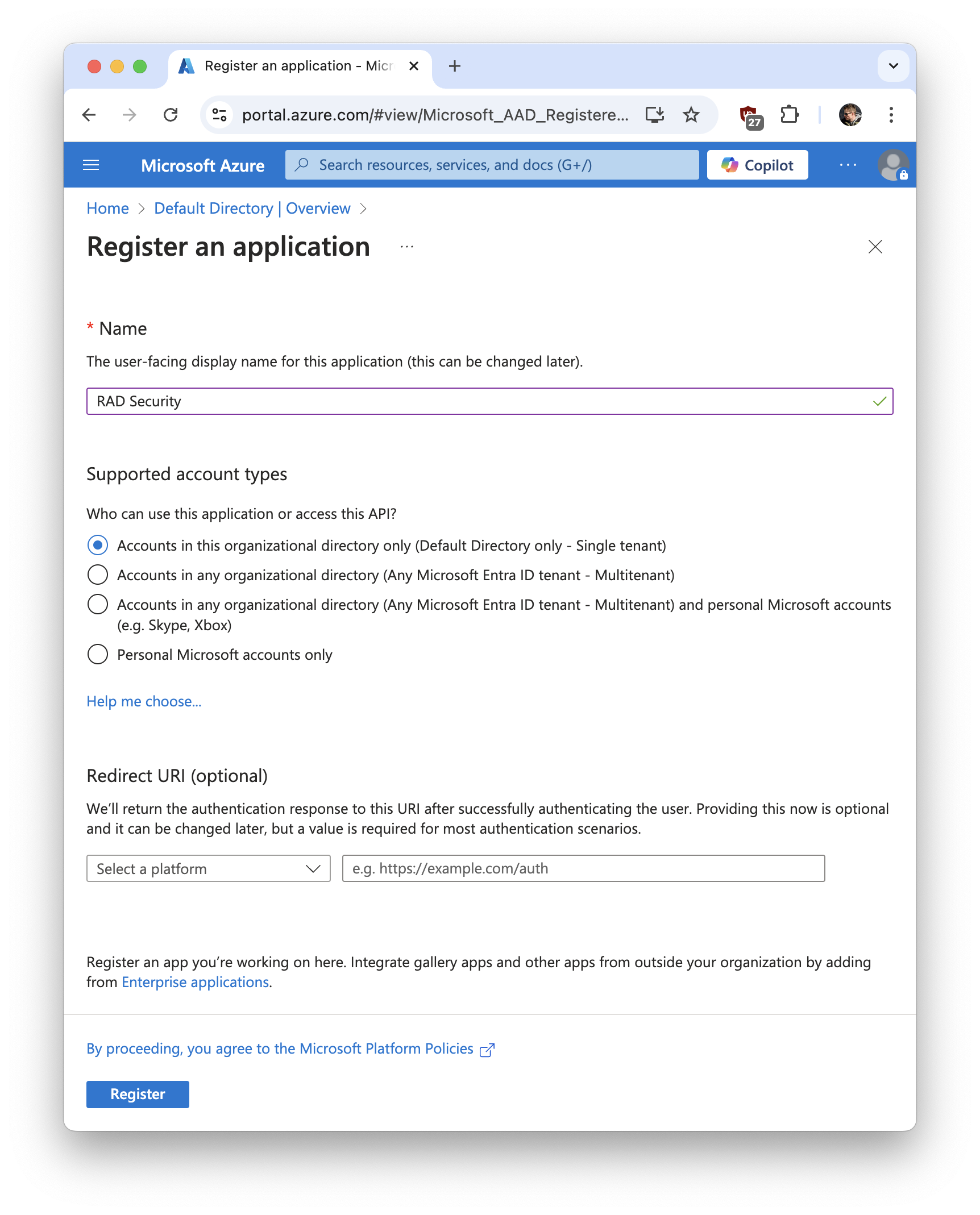
- Fill in the form with the following values:
- Name: RAD Security (or choose a name that works for you best)
- Supported account types: Accounts in this organizational directory only (Default Directory only - Single tenant)
- Redirect URI: leave empty
- Share Application (client) ID with RAD Security
- Share Directory (tenant) ID with RAD Security
- Click Add a certificate or secret
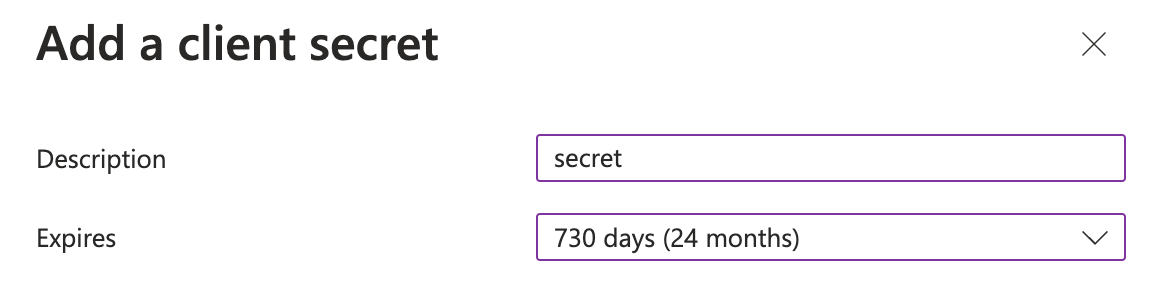
- Click New client secret
- Add description and set expiration (for example 24 months)
- Share secret Value with RAD Security
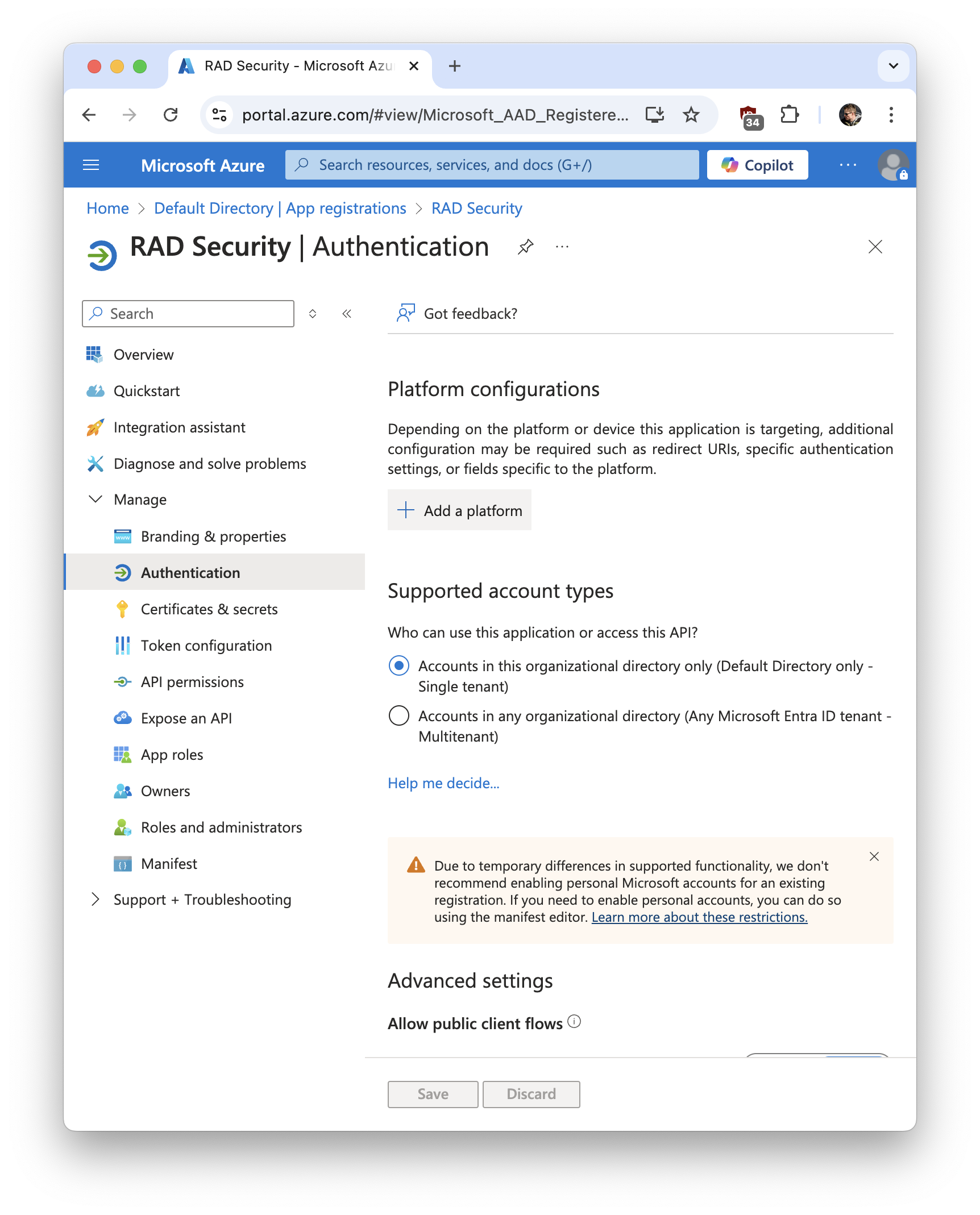
- Go to Manage → Authentication
- Click Add a platform
- Select Web
- Enter Redirect URI in the following format:
https://app.rad.security/oidc/self-service/methods/oidc/callback/microsoft-{client-ID}
Replace {client-ID} with your Application (client) ID.
- Click Configure
- Wait for RAD Security to configure SSO on our side and try linking your account
Was this page helpful?