> ## Documentation Index
> Fetch the complete documentation index at: https://docs.rad.security/llms.txt
> Use this file to discover all available pages before exploring further.
# Scanning Images from AWS ECR
> Configure RAD Security to scan container images from Amazon Elastic Container Registry
RAD Security creates a comprehensive SBOM (Software Bill of Materials) for your container images compiled within your cluster infrastructure. The `rad-sbom` plugin downloads images from registry APIs and requires authentication for private repositories.
ECR uses short-lived 12-hour tokens, so `rad-sbom` cannot use standard `imagePullSecrets`. Instead, an IAM role with the necessary permissions must be attached to the service account named `rad-sbom`.
## Configuring Authentication for ECR
There are two approaches to configure authentication:
1. **EKS Pod Identity** - [AWS documentation](https://docs.aws.amazon.com/eks/latest/userguide/pod-identities.html)
2. **IRSA** - [AWS documentation](https://docs.aws.amazon.com/eks/latest/userguide/iam-roles-for-service-accounts.html)
## IAM Policy
Create an IAM policy with the following permissions:
```json theme={null}
{
"Version": "2012-10-17",
"Statement": [
{
"Effect": "Allow",
"Action": [
"ecr:DescribeImageScanFindings",
"ecr:GetLifecyclePolicyPreview",
"ecr:GetDownloadUrlForLayer",
"ecr:DescribeImageReplicationStatus",
"ecr:ListTagsForResource",
"ecr:ListImages",
"ecr:BatchGetRepositoryScanningConfiguration",
"ecr:BatchGetImage",
"ecr:DescribeImages",
"ecr:DescribeRepositories",
"ecr:BatchCheckLayerAvailability",
"ecr:GetRepositoryPolicy",
"ecr:GetLifecyclePolicy",
"ecr:GetAuthorizationToken"
],
"Resource": "*"
}
]
}
```
## EKS Pod Identity
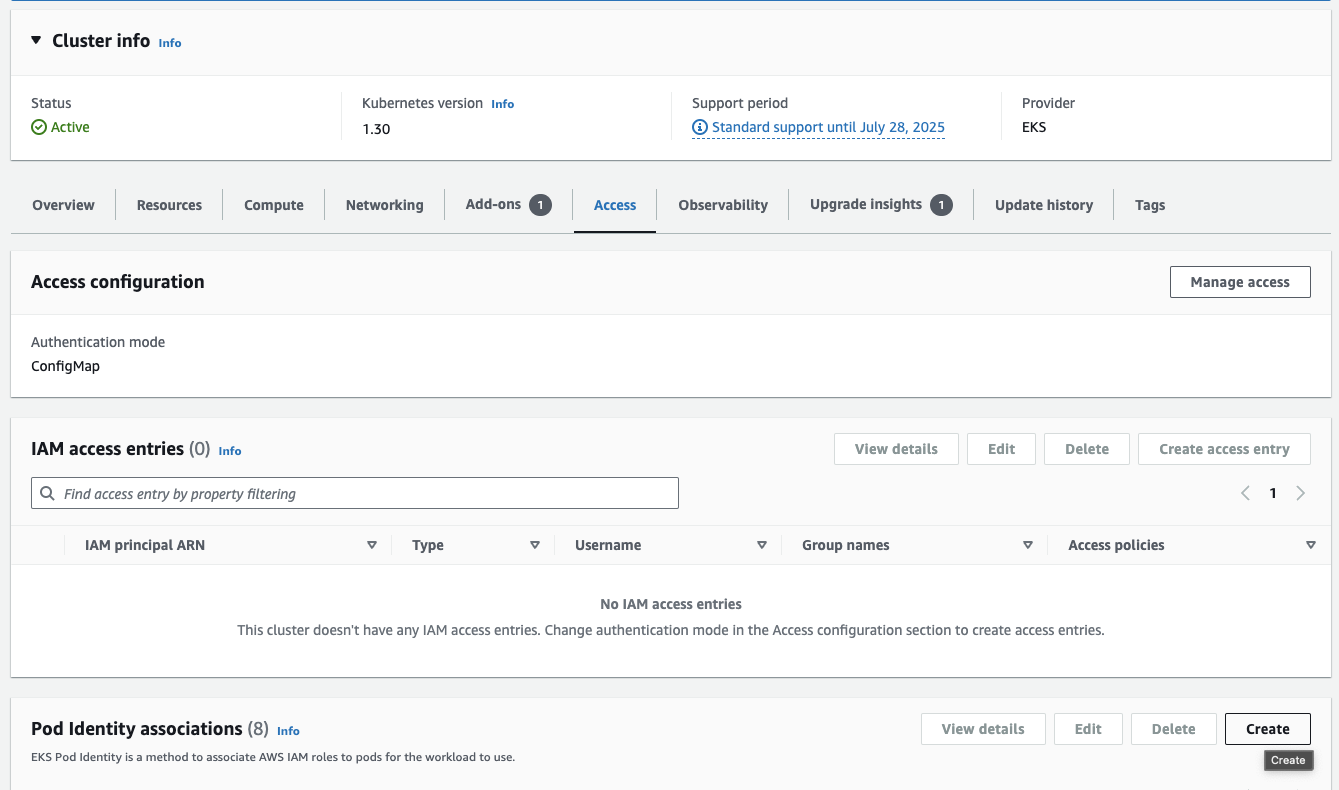
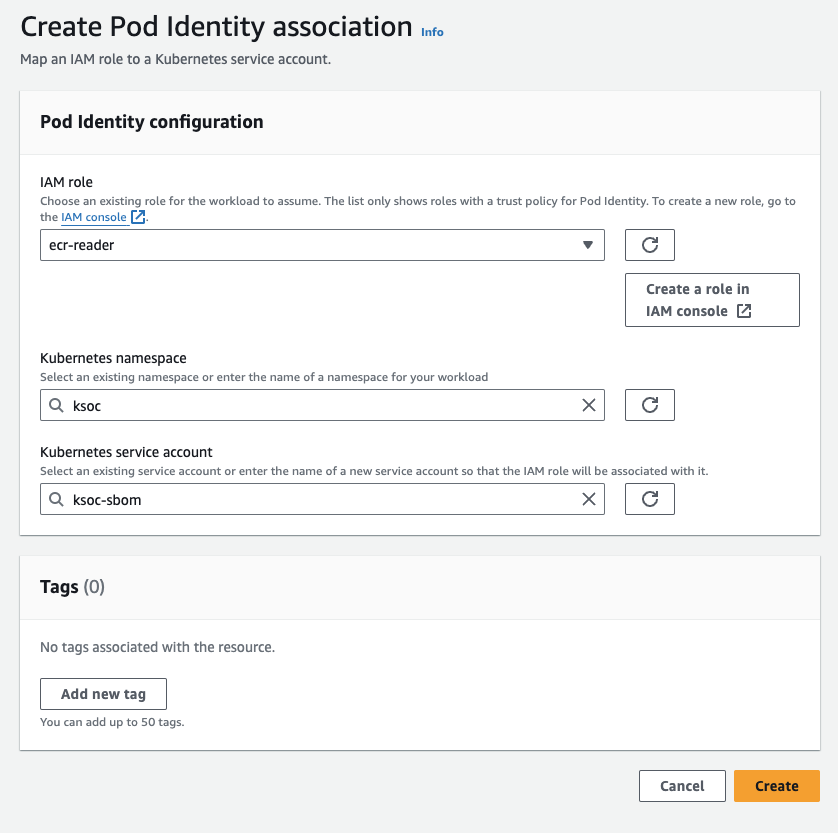
Create a Pod Identity Association for the `rad-sbom` service account:
 ## IRSA
If using IRSA instead of EKS Pod Identity, add the following annotation to your `values.yaml`:
```yaml theme={null}
sbom:
serviceAccountAnnotations:
eks.amazonaws.com/role-arn:
```
## IRSA
If using IRSA instead of EKS Pod Identity, add the following annotation to your `values.yaml`:
```yaml theme={null}
sbom:
serviceAccountAnnotations:
eks.amazonaws.com/role-arn:
```